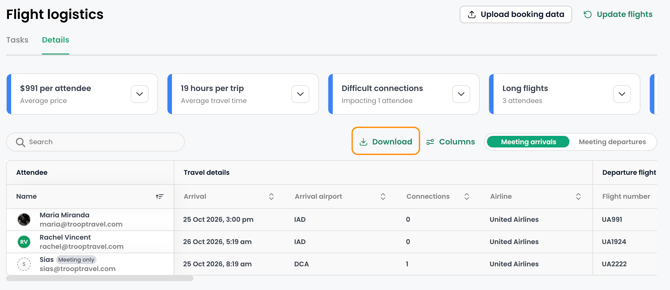
Flight Logistics provides a centralized view for tracking attendee flights. It keeps travel arrangements organized, accessible, and easy to monitor in TROOP.
- View all attendee flights and flight details at a glance
- Upload booking details
- Download a CSV report to share with ground transportation companies, Travel Managers, or other stakeholders
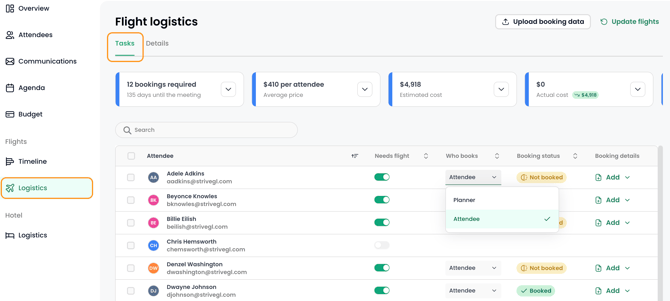
The Logistics area has two main tabs: Tasks and Details.
Tasks
Use the Tasks tab to see who needs a flight, each attendee’s booking status, and who is responsible for their own travel arrangements. You can also upload booking details from this tab.
Details
Use the Details tab to view flight data for each attendee, including arrival and departure times, airports, and connecting flights.
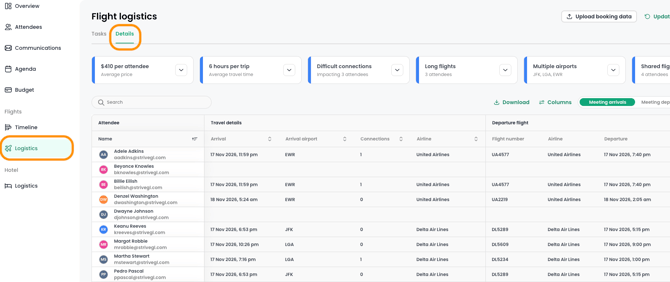
To export the full flight details as a CSV report, click “Download.”