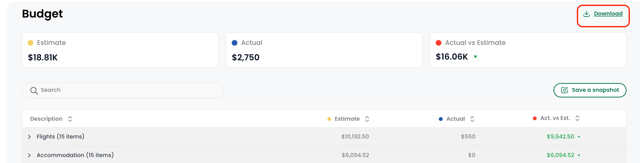
Budgeting for a meeting shouldn’t feel like a guessing game. TROOP’s Budget Tool helps you track costs from estimates to final spending, in one place.
Key Benefits:
- Understand and manage costs at each stage
- More easily communicate budget updates with stakeholders
- Replace manual tools with a centralized, structured workflow
- Support better financial decisions and planning accuracy over time
Unified Budgeting and Tracking
To provide a clear picture of your meeting's financial plan, TROOP organizes your data into two primary columns: Budget and Actuals.
-
Estimate: Your initial estimates and projected costs.
-
Actuals: The real-time spend as bookings are confirmed and invoices are received. This side-by-side view allows you to quickly identify variances and manage your bottom line without juggling multiple versions of a spreadsheet.
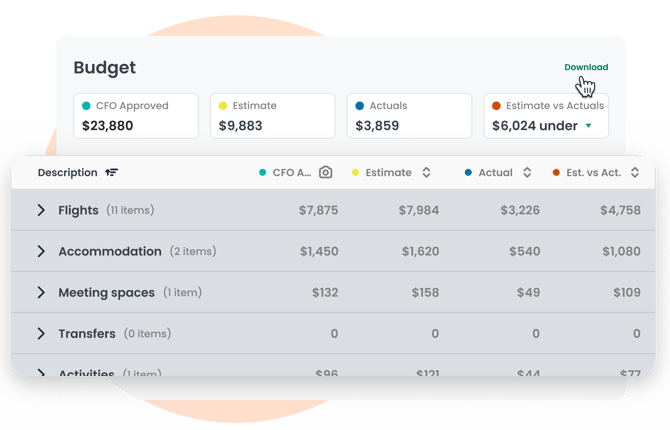
The Budget tool is deeply connected to the rest of the TROOP platform. Key logistics are automatically reflected in your estimate numbers, including:
-
Attendee bookings: Ensuring estimated travel and venue costs are accurately captured.
-
Agendas: Budgeting for specific activity costs or catering.
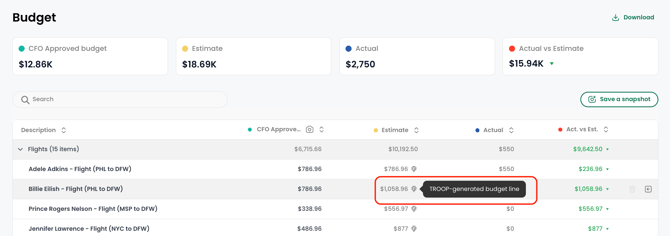
📍Line items with the TROOP logo (smart lines) are system-generated from your meeting data and can’t be edited. These usually cover flight and hotel estimates.
Capturing Progress with Snapshots
As meeting plans evolve, it is important to have a record of your financial status at specific milestones. The Snapshots feature allows you to capture and save a permanent record of your budget at any moment.
-
Use Cases: Create a snapshot before submitting a proposal for approval, before a major shift in strategy, or as a final record to share with Finance and Leadership.
Add Budget Items
Think of TROOP as your budgeting copilot. You can add budget line items and track costs at every stage of your planning journey.
Each budget line can be classified into a spend category. You can choose between:
- Flights
- Accommodation
- Meeting spaces
- Transfers
- Activities
- Meals
- Other
💡 Adding meeting spaces from the overview screen and calendar items from the agenda screen automatically prompt you to track budget line items.
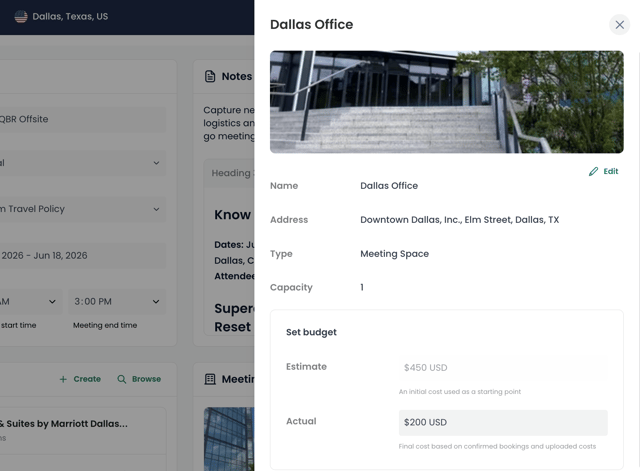
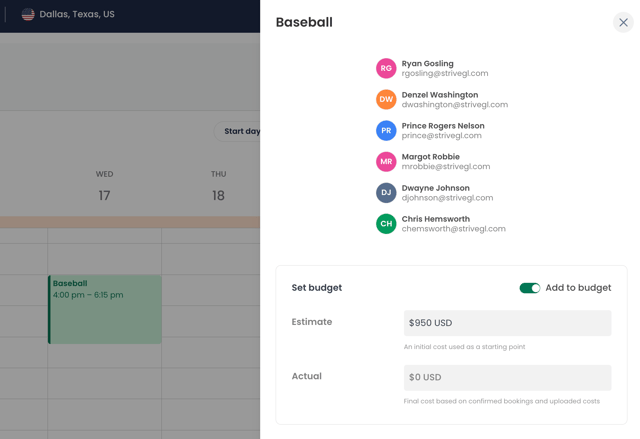
Add one-off budget line items directly from the Budget page within each spend category:
Track Actual Spending
For one-off line items, manually enter the actual amount spent in the Actual column for that expense.
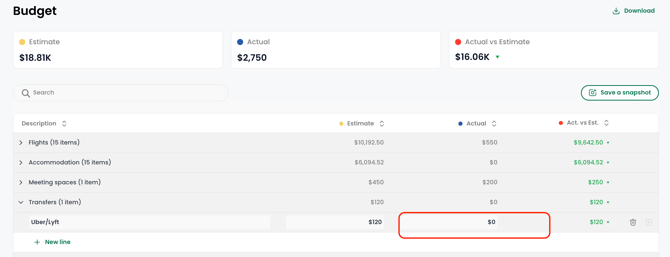
Use the expand icon at the end of each line item to upload actual spend amounts and attach supporting documents for flights and hotels.
📍Use the Trash icon to remove a manual line item. Smart lines (auto-generated line items) are based on your meeting data and can’t be deleted using the Trash icon.
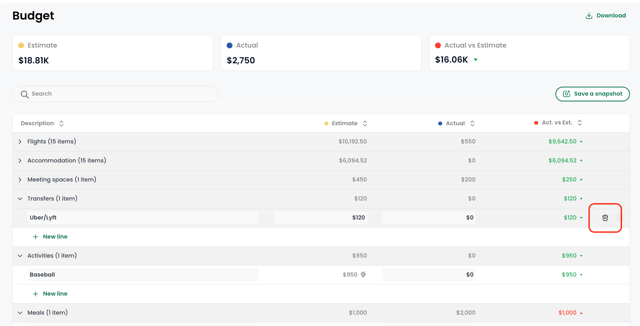
💡 Quickly share details with executives, finance teams, or key stakeholders - making reviews and approvals more efficient. Export your budget as a CSV file by clicking on "Download."