
Add your meeting spaces directly to TROOP—whether it’s your headquarters boardroom, a preferred offsite location, or a trusted partner venue. Once you’ve added a space, it’s stored in your organization’s directory, making it easy to locate and reuse for future meetings in that city. This personalized approach streamlines your planning, so you can quickly meet where you know you’ll succeed.
Create a custom meeting space
Follow these steps to add a meeting space to the directory for a shortlisted destination:
Select an existing meeting space
Follow these steps to add an a meeting space to a destination:
💡 You can remove or deselect a meeting space from the details section on the meeting space card on the Overview page.
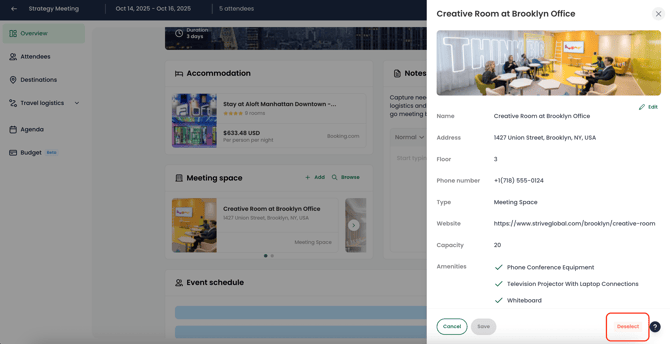
💡 Need to host sessions in different venues? Simply add multiple meeting spaces to your event—perfect for meetings that span various locations.
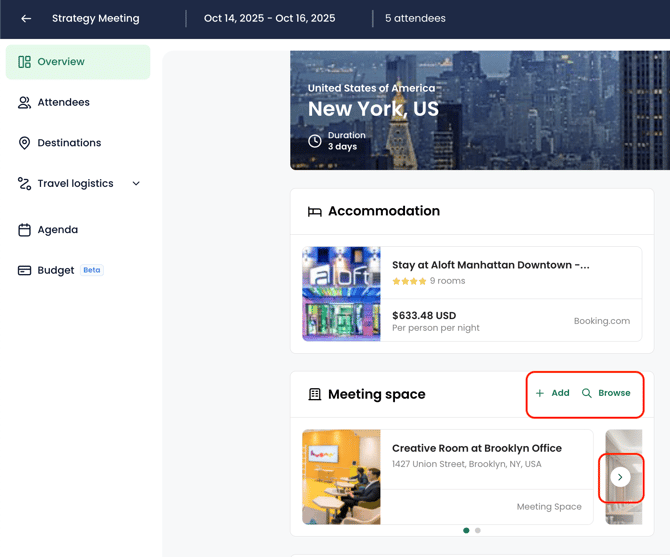
📍 Your offices for that city will be listed in the meeting spaces tab.
Edit a meeting space
Follow these steps to modify the details associated to a meeting space:
Delete a meeting space
Follow these steps to permanently delete a meeting space: