
Send attendees a structured "time to book" communication directly from the Communications tab.
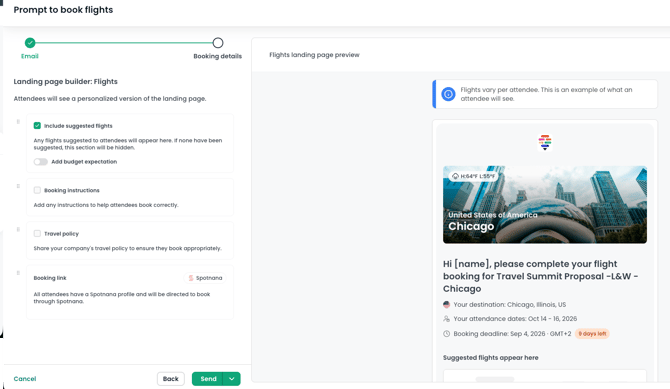
How it works
From the communications tab, you can send attendees a clear, structured booking prompt for flights or hotels.
📍 You can send separate prompt-to-book emails for flights and hotels, but you can’t combine both in a single communication.
In the builder, you can set the email title, header, and subject line, and choose to send for flights or hotels. You have the option to include a booking deadline, recommended flight or hotel, booking policy, other instructions, and a booking link.
💡 If you are an Spotnana customer, your OBT link will be included in the communication automatically through the Admin section of TROOP.
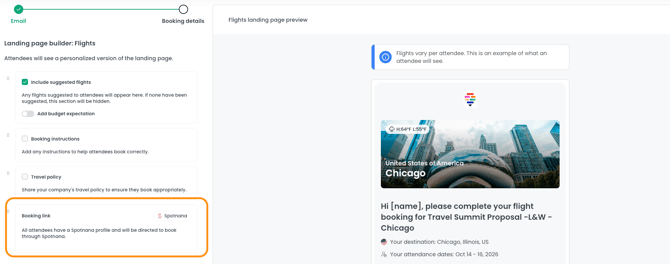
Completed bookings will sync back to TROOP.
💡 If you are not an Spotnana customer, you can add your OBT link directly into the email draft, just paste the link directly into the email draft before sending.
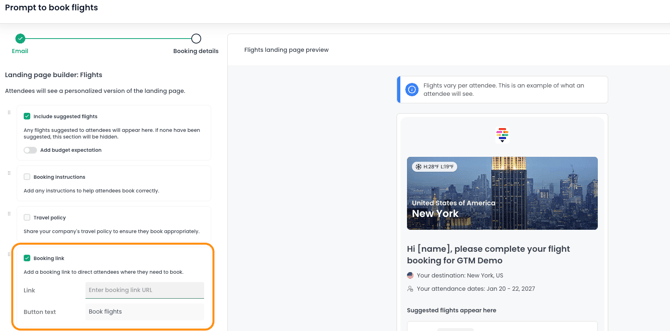
🚨 Completed bookings won’t sync back to TROOP