
Planning your meeting in TROOP simplifies the process by providing you with data points on meeting destinations and facilitating your search for the right location.
Follow the steps below to create your first meeting. Each step will then be explained in more detail.
Step 1: Meeting location

Step 2: Meeting name
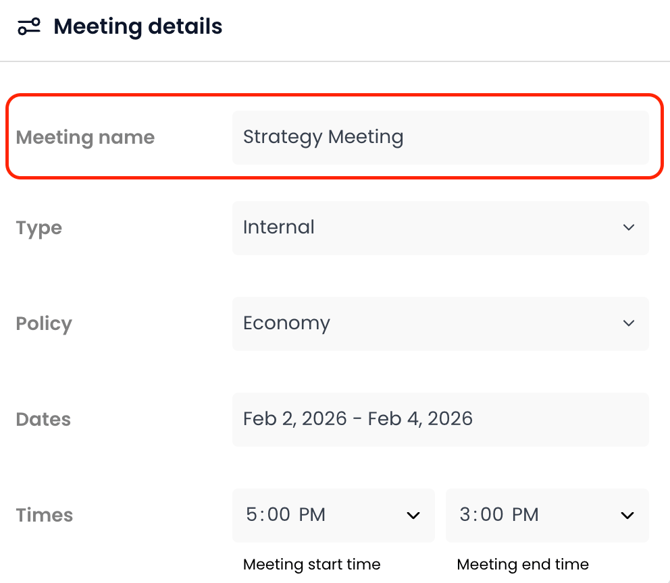
Step 3: Meeting types
You can select between Internal and External types.
If you don’t select any type, it will stay as “Meeting Type.”
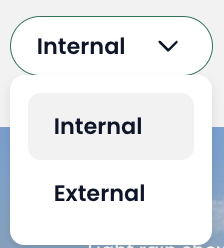
💡 Internal Meeting: A meeting where all attendees are from your organization or company.
External Meeting: A meeting that includes attendees from different organizations or companies.
Step 4: Travel policy
Your organization’s admin has already set up the necessary travel policies, so you don’t have to worry about them. However, we understand that sometimes a different policy may be needed for a specific meeting or event.
If your meeting falls outside the standard travel policy an admin can update the policy through account settings outside of the meeting.
🚨 Only one policy can be applied per created meeting.
Step 5: Meeting dates and times
Add the meeting dates as well as the meeting start and end time in the control panel.
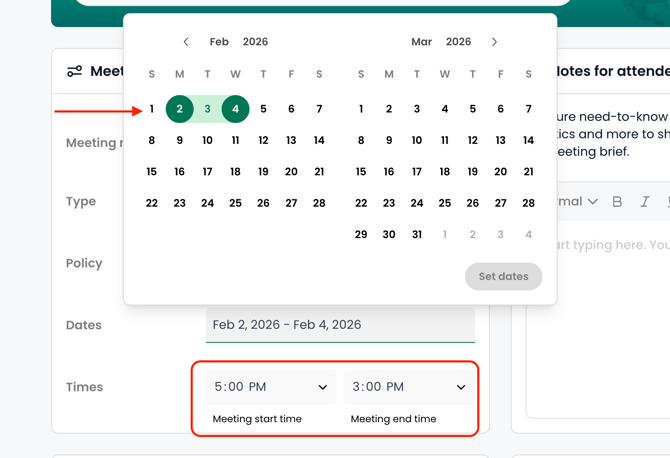
📍The meeting start and end time is meant to help you find the right flights for your attendees, ensuring they arrive on time. The platform will search for flights with a three-hour buffer, giving them enough time for commuting and any unexpected delays.