
Compare multiple hotels for one city
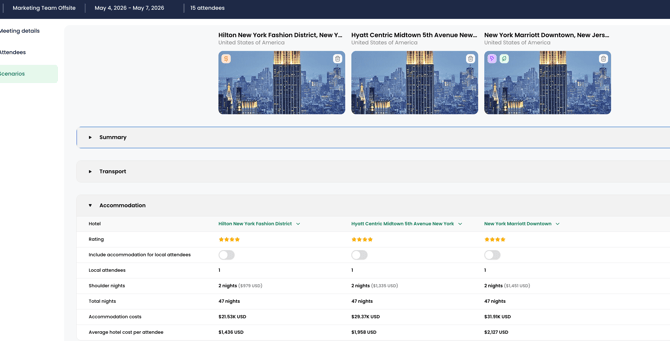
1. In the Explore module, create a scenario.
2. On the Scenario's tab in the "search and add a city" field, input the name of the hotel and city you want to add. Repeat this process for each hotel for that city. Please note: this will create a separate city/analysis for each hotel.
3. Scroll to the Accommodations section and then search and select the hotel you would like to compare for that city.